Skip to content
Job Seek
AboutFeaturesPricingFAQBlog
Find companies to follow

Free job application tracker

Keep your applications in view

Save jobs you find on Job Seek, update their status as you apply, and keep interview notes together.

Find a job to save

Free to use. Sign in to save your progress.

The Emperor by Hans Holbein
The Emperor · Hans Holbein (1523–5)(opens in new tab)

The role and its history, side by side

Return to the job details while you prepare for an interview. Your status and notes stay attached to the role you saved.
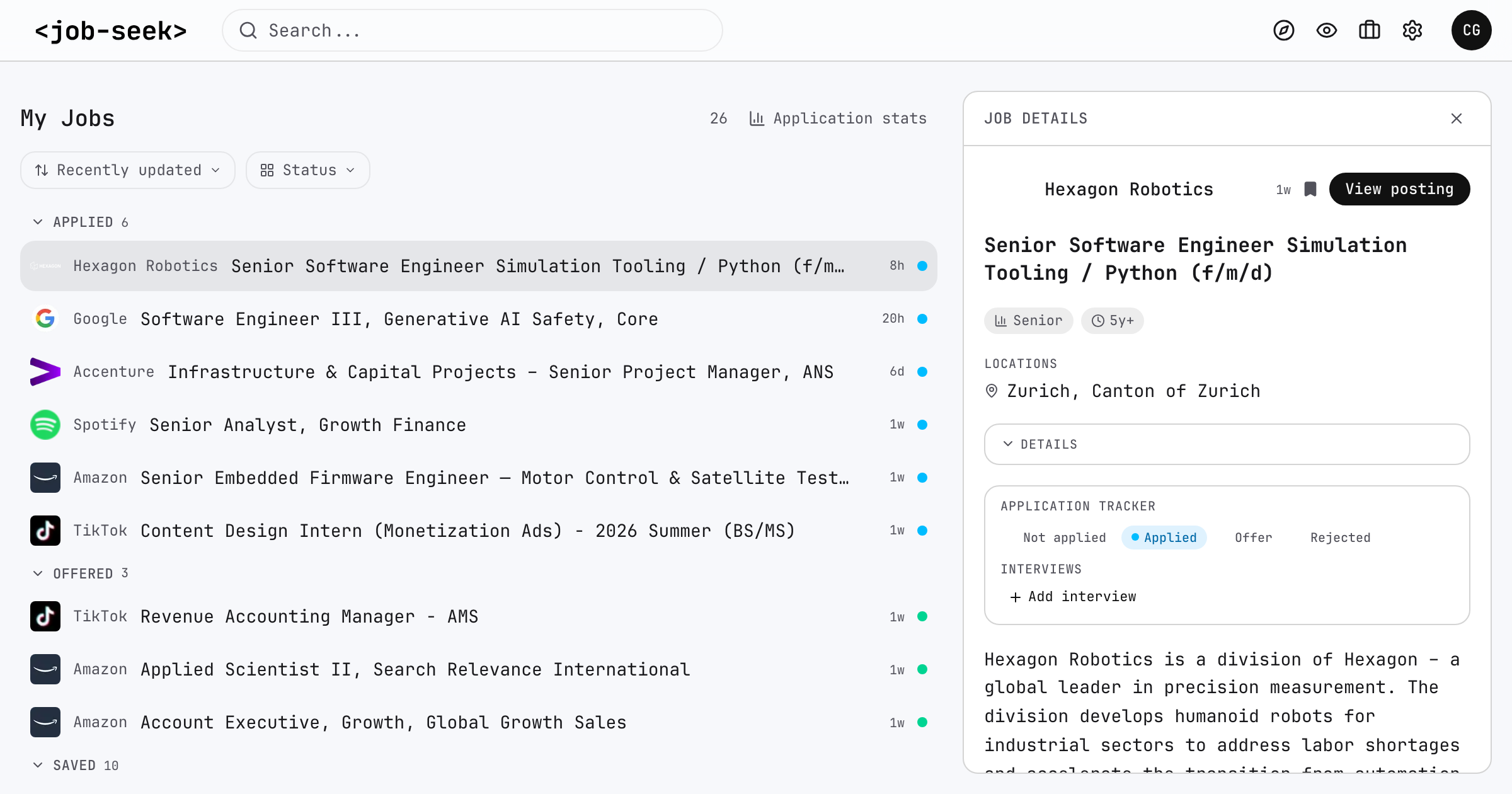
Job Seek saved role with application status and interview details
Open full-size screenshot

A place for each next step

  1. 01

    Save a role

    Find a job on Job Seek and save it to your account. Your saved roles stay together, ready for your next visit.

  2. 02

    Update its status

    Mark a role as applied, interviewing, offered, or rejected. You update the status; Job Seek does not submit applications for you.

  3. 03

    Keep interview notes

    Record each interview round with its date, type, and notes. See how your applications progress from saved roles to interviews and offers.

Built for jobs you save on Job Seek

The tracker follows jobs you save on Job Seek. Applications from other websites cannot be added. Apply on the employer’s website, then update your status here.

Build a search you can come back to

Find a job to save
Company job alertsApplication trackerNarrowed job searchHow to monitor career pages

© 2026 Viktor Shcherbakov. Code: MIT. Our data rights: CC BY-NC 4.0. Third-party content is excluded.

  • GitHub(opens in new tab)
  • Contact(opens in new tab)
  • Blog
  • License
  • Privacy
  • Terms